
Python has supported type hinting for quite a few versions now, starting way back in 3.5. However, Python itself does not enforce type checking. Instead, you need to use an external tool or IDE. The first and arguably most popular is mypy.
Microsoft also has a Python type checker that you can use in VS Code called Pyright, and then there’s the lesser-known Pyrefly type checker and language server.
The newest type checker on the block is Astral’s ty, the maker of Ruff. Ty is another super-fast Python utility written in Rust.
In this article, you will learn how to switch your project to use ty locally and in GitHub Actions.
Installation
You can run ty with uvx if you do not want to install it by using the following command in your terminal: uvx ty
To install ty with uv, run the following:
uv tool install ty@latest
If you do not want to use uv, you can use the standalone installer. Instructions vary depending on your platform, so it is best to refer to the documentation for the latest information.
Note: Technically, you can use pip or pipx to install ty as well.
Running ty Locally
Running with uv
uv run ty
Running without Installation
uvx ty
Running ty Directly
ty check
Configuring ty
- pyproject.toml
- ty.toml
There are many rules that you can change. Check out the documentation for full details.
In general, if you run mypy in strict mode, then running ty without changing any of its settings is very similar. However, ty currently does not highlight missing type hints. If you need to enforce adding type hints, you can use Ruff’s flake8-annotations.
Here is how to enable the flak8-annotations in your pyproject.toml file:
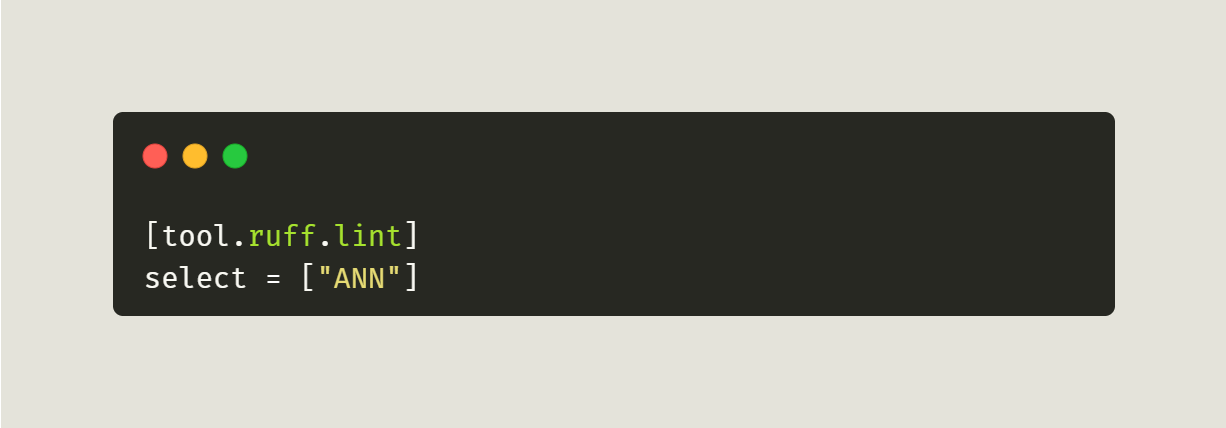
If you have other rules already selected, you can add “ANN” to the end of the list to enable it.
Running ty in GitHub Actions
.github/workflows/ty.yml
Make sure you include the leading period!
Next, inside your yaml file, you will add the following code:
name: ty
on:
  pull_request:
    types: [opened, synchronize, reopened, ready_for_review]
  workflow_dispatch:
jobs:
  build:
    if: github.event.pull_request.draft == false
    runs-on: self-hosted
    steps:
      - uses: actions/checkout@v3
      - name: Install Python
        uses: actions/setup-python@v4
        with:
          python-version: “3.12”
      - name: Install dependencies
        run: |
          python -m pip install --upgrade pip
          pip install ty==0.0.7
      - name: Run ty
        run: ty check
        continue-on-error: false
Now, when your team opens a new PR in your project, it will automatically run ty against it. Feel free to update the Python version to the one you are using. Also note that this GitHub Action sets the ty version to 0.0.7, which you may need to update as newer releases become available.
Using ty with pre-commit
- https://github.com/NSPC911/ty-pre-commit
- https://github.com/JacobCoffee/ty-pre-commit
- https://github.com/hoxbro/ty-pre-commit
- https://github.com/allganize/ty-pre-commit
- https://foundry.fsky.io/vel/ty-pre-commit
When Astral supports pre-commit itself, you should update your pre-commit configuration accordingly.
However, for this tutorial, you can use that first link which tells you to add the following to your .pre-commit-config.yaml:
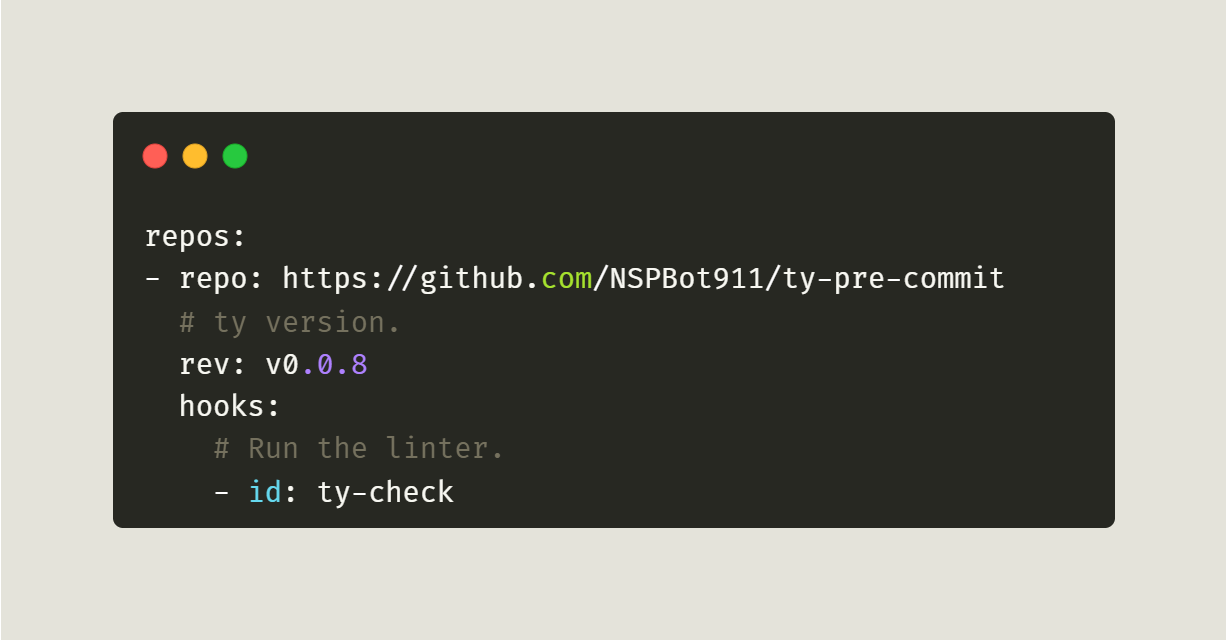
Now, when you commit a file locally, pre-commit will run ty to check it for you automatically.
Wrapping Up
Type checkers can be really helpful in finding subtle bugs in your Python code. However, remembering to run them before pushing your code can be difficult, so make your life easier by adding the type checker to your CI!
Have fun and happy coding!